Understand the Stovefront dashboard
Sign in and you land on the admin. Everything is reached from the list down the left side.
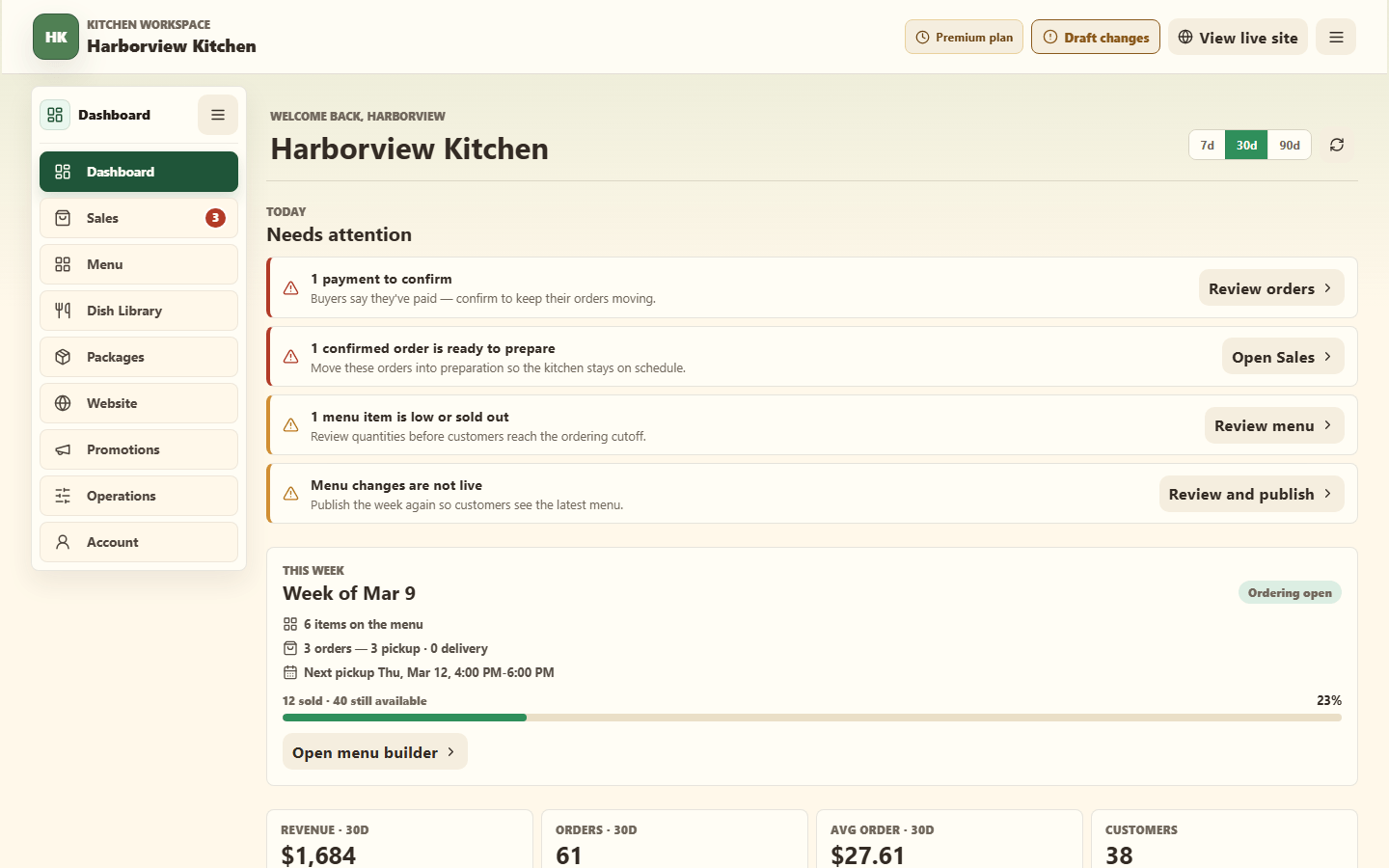
The left navigation

| Section | What it is for |
|---|---|
| Dashboard | Your week at a glance: revenue, order counts, repeat customers, and anything needing attention. New kitchens also get a short setup checklist here. |
| Menu | The week you are planning. A week banner at the top, then a 7-day strip you fill with items. |
| Dishes | Your dish library — the recipes you cook from. |
| Packages | Bundles and subscriptions. Two tabs: Packages and Subscriptions. |
| Customers | Everyone who has ordered, with history and notes. Has a second tab, Order Queue. |
| Orders | Incoming orders, payment status, and fulfillment status. The badge shows how many are open. |
| Website | Homepage, brand, public pages, promotions, flyer, domain, and sharing tools. |
| Promotions | Flyer (opens by default), Flash Banner, and Offers. |
| Operations | Payments, pickup and delivery schedule, vacation mode, costs, inventory, and optional tools. |
| Account | Sign-in details, email verification, your Stovefront plan, and billing. |
Two more appear inside Operations only on Premium, and only after you switch them on in Operations → Workspace tools:
- Benchmarks — starter cost estimates and pricing defaults.
- Storage — a receipt-powered pantry.
The workspaces
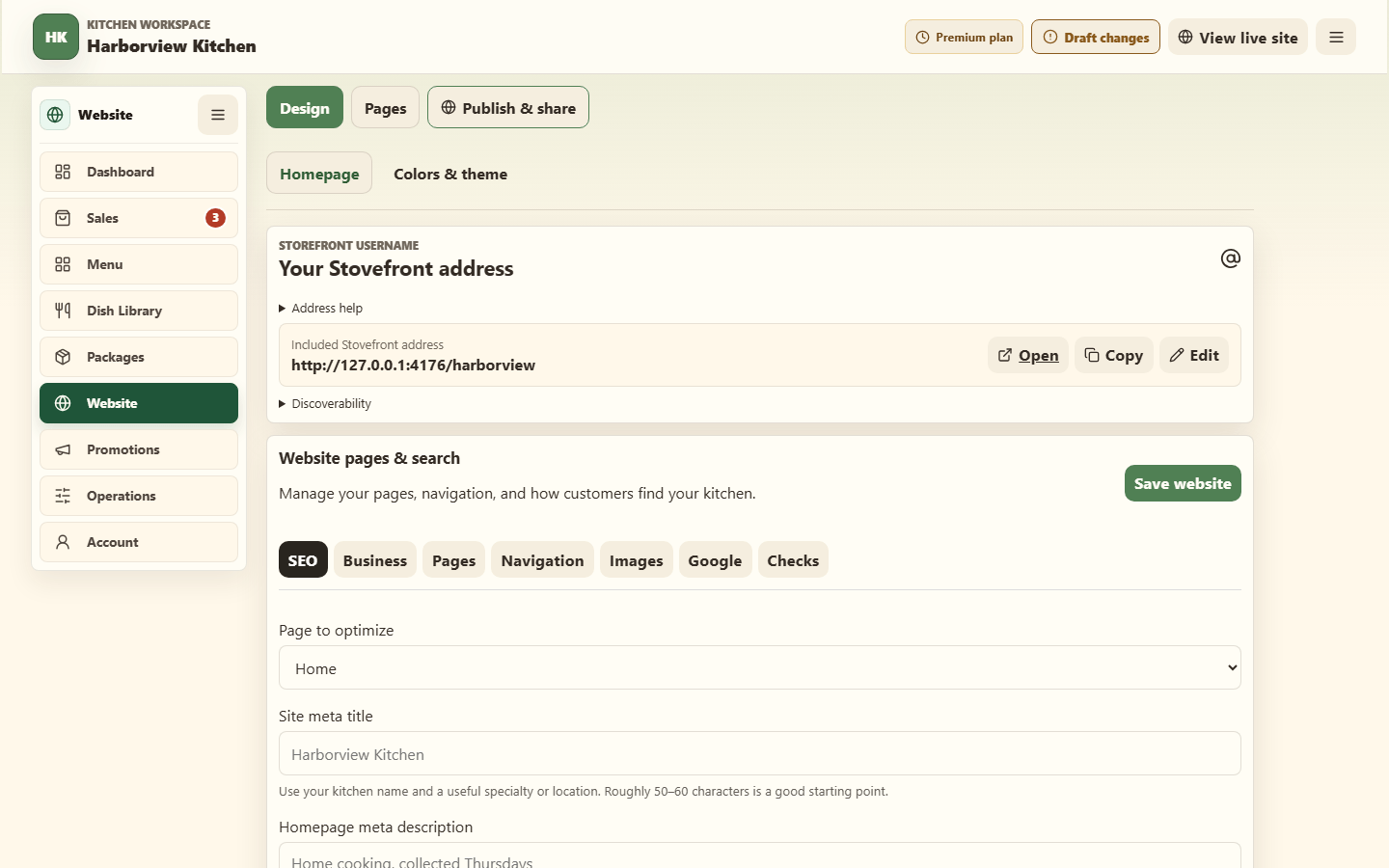
Each workspace has a short tab row, then detail tabs for the selected area:
| Workspace | Sections |
|---|---|
| Website | Design (Homepage, Colors & theme); Pages (Public story, Staff); Publish & share (Site status & address, Share & embed). |
| Promotions | Flyer (opens by default), Flash Banner, and Offers. |
| Operations | Getting Paid; Schedule (Pickup & schedule, Vacation); optional Costs and Inventory; Workspace tools. |
| Account | Profile & security and Plan & billing. |
Dishes and menu items are different things
This trips most people up once, and then never again:
- A dish is a recipe in your library. Create it once.
- A menu item is that dish offered on a specific week, with a price and a quantity.
You add a dish to a week to create a menu item. The same dish can appear on many weeks at different prices.
Related
Publish your first menu · Create a dish · What your free trial includes