Set your order cutoff and weekly rhythm
Open Operations → Schedule → Pickup & schedule. This page defines your kitchen's weekly rhythm: which day your week starts, your pickup days and pickup window, and your Orders close rule.
If you have turned scheduled pickup on, each pickup time carries its own order cutoff and this kitchen-wide rule no longer applies — the Pickup schedule panel described here moves into Simple pickup & delivery settings (used only if you switch back) further down the page.
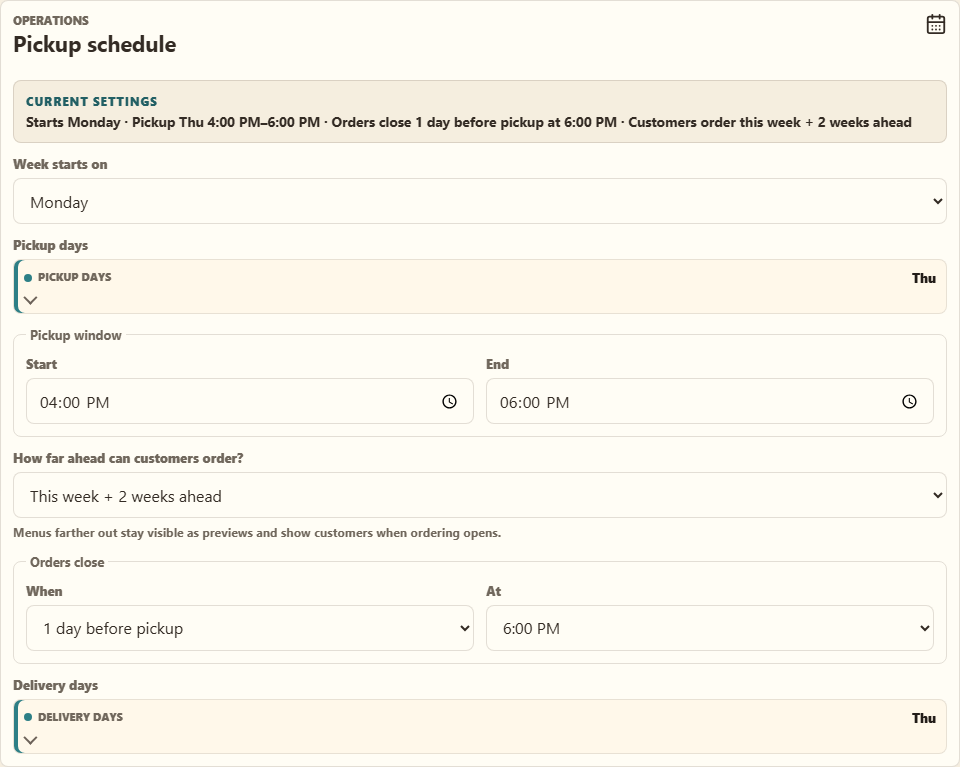
The Orders close rule has two parts: When (on pickup day, or 1–3 days before pickup) and At (a specific time, or "When pickup starts"). For example, "1 day before pickup at 6:00 PM" means an item picked up Friday stops taking orders Thursday at 6:00 PM.
Every new menu item and package follows this rule automatically — you never enter a cutoff by hand.
Exceptions
- One unusual week: use This week's pickup on the week banner to change the pickup day, window, or cutoff for that week only. Items still on the default move with it.
- One unusual item: open the item and select Adjust pickup & cutoff to override just that item.
Set the cutoff before shopping or prep begins. A cutoff that is too late creates fulfillment risk; one that is too early can reduce sales.