Understand the order lifecycle
Every order carries three separate statuses. They move independently — an order can be paid but not yet cooked, or ready but not yet paid.
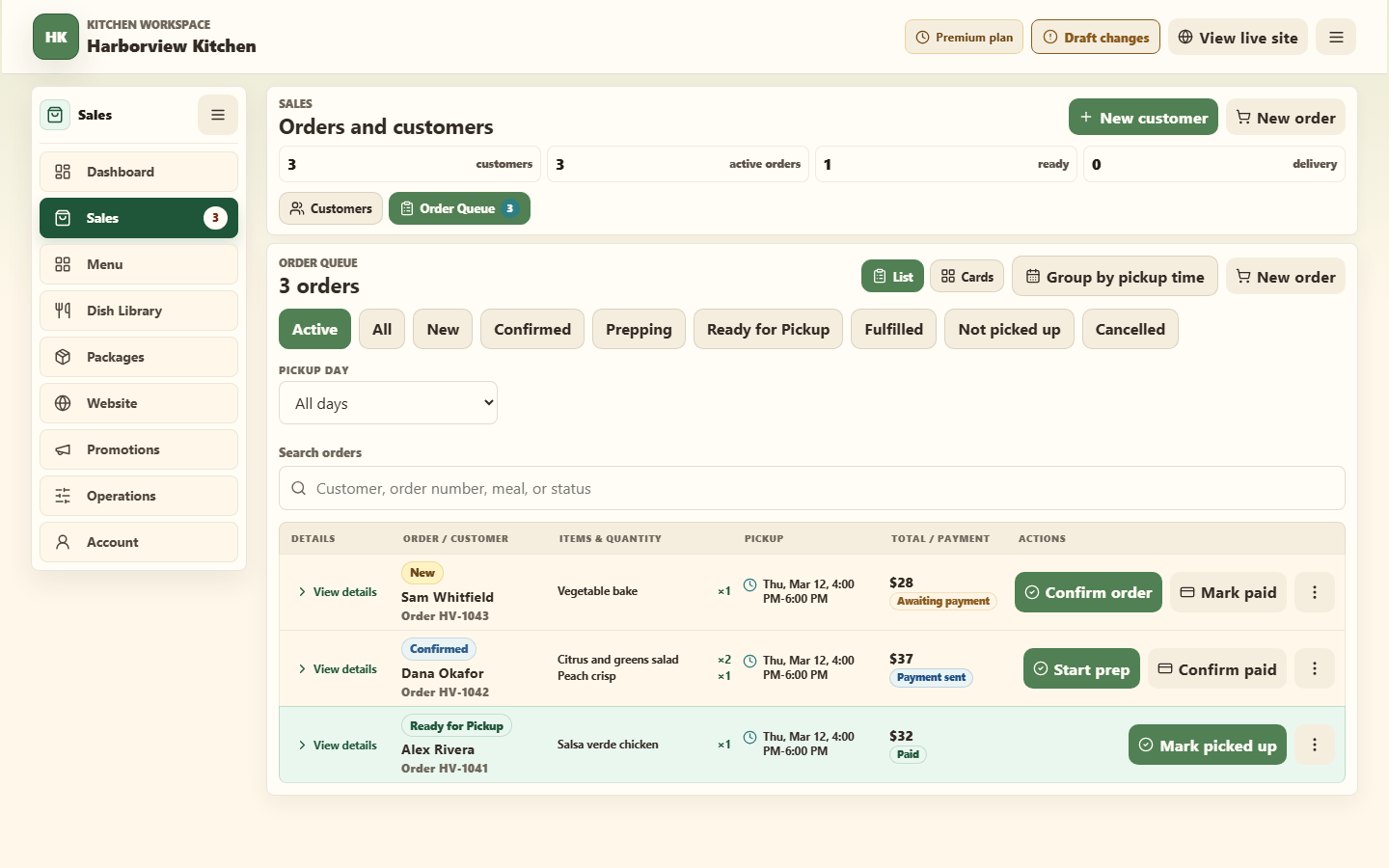
Order status — where it is in your kitchen
| Status | Meaning |
|---|---|
| New | Just arrived. You have not acknowledged it. |
| Confirmed | You have seen it and you are making it. |
| Prepping | Being cooked now. |
| Ready for Pickup | Done and waiting. |
| Fulfilled | The customer has it. Finished. |
| Not picked up | They did not come. Records the outcome honestly. |
| Cancelled | Called off by either side. |
Payment status — whether the money arrived
| Status | Meaning |
|---|---|
| Awaiting payment | No payment has been confirmed. |
| Payment sent | For a direct method, the customer says they paid. You have not confirmed it. |
| Paid | A direct payment was confirmed by the kitchen, or Stripe confirmed the card payment. |
| Refunded | The full Stripe card payment was returned. |
| No charge | Nothing owed. |
"Payment sent" is a claim, not a confirmation. The customer pressed a button. Check your Venmo, Zelle, Cash App, or PayPal before you mark a direct payment Paid. Stripe card payments update automatically and cannot be changed by hand.
Fulfillment status — how it reaches them
For pickup orders:
Pickup scheduled → Ready for pickup → Picked up
For delivery orders:
Delivery scheduled → Out for delivery → Delivered
Either can end at Not picked up or Cancelled.
Stovefront only offers the statuses that fit the order's type — you will not see delivery statuses on a pickup order.
Active vs. All
The filter chips above your order list say Active and All. These are filters, not statuses. Active hides anything finished or cancelled so your list is just today's work.
Group by pickup time
Group by pickup time, next to the List and Cards buttons, rearranges the queue the way a pickup day actually runs. Everyone collecting at the same time sits together under one heading: the day, the hours, and the pickup spot. When that pickup time has an order limit, the heading counts against it — 3 of 5 orders — so you can see how full it is without counting cards.
That count is every order the pickup time is holding, including ones your filters are hiding — an order you have already handed over still took a place. Only a cancelled order gives its place back, which is the same rule Stovefront uses when it decides whether a customer can still book that time. So the number beside a limit may be higher than the number of cards below it; that is the pickup time you are reading, not the list.
Orders taken before you set scheduled pickup up are grouped by their pickup date instead, with no spot or limit claimed for them. An order with no pickup time recorded at all sits at the bottom under No pickup time rather than being filed under a guessed day.
Pickup day narrows the list to one day. It works the same grouped or ungrouped, and it stacks with the status chips and the search box — Active, Friday, "Alex" is a perfectly good way to look.
Press the button again for the plain list back. Neither control changes an order. They only change what you are looking at.
Who reads what
- Customers read fulfillment status. It tells them whether to leave the house.
- You read payment status. It tells you whether to hand over the food.
- Both read order status as the plain-English summary.
Keep them current. A tray sitting under "Prepping" when it is boxed and waiting is how customers end up standing outside.
Related
Confirm payment and an order · Cancel or refund an order · Fulfill a pickup order